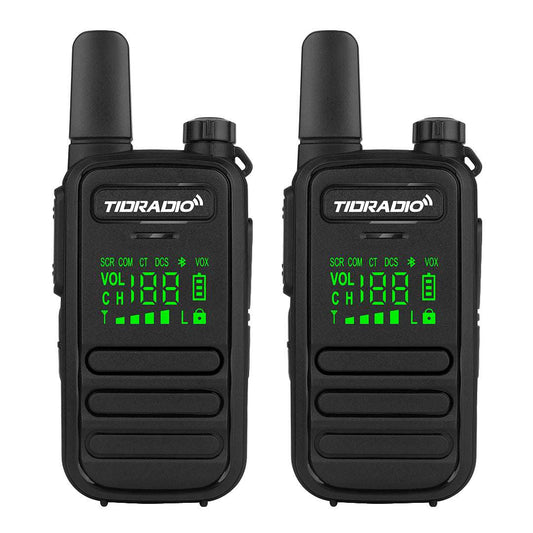
PoC Radio SIM Card Setup Guide: Activation & Installation
Unlike traditional two-way radios, PoC (Push-to-Talk Over Cellular) radios use 4G LTE networks and cloud platforms to provide long-distance communication.
Because PoC radios rely on cellular networks, users need to complete several setup steps before communication is available, including:
- Installing a SIM card
- Downloading the management app
- Activating the device
- Binding the radio to an account
This guide will walk you through the complete PoC radio setup process and help you get started quickly.
1. Insert the SIM Card into Your PoC Radio
The first step after receiving your PoC radio is installing a SIM card.
Unlike GMRS or FRS radios that communicate through radio frequencies, PoC radios use cellular networks. A SIM card with mobile data service is required to connect your device to the network.
Before installing the SIM card:
- Turn off the radio
- Prepare a compatible SIM card
- Check the correct SIM card direction
Steps to install the SIM card:
- Power off your PoC radio.
- Open the SIM card slot.
- Insert the SIM card correctly.
- Close the SIM card cover.
- Turn on the device.
After installation, your PoC radio will begin connecting to the cellular network.
Learn more about how PoC communication works:
What Is a PoC Radio? The Complete Guide to Push-to-Talk Over Cellular
2. Download the App and Create Your Account
After installing the SIM card, the next step is activating your PoC radio through the management platform.
Download the official app and create an account before connecting your device.
Your account allows you to:
- Manage your PoC radios
- Add contacts
- Create communication groups
- Configure device settings
Setup steps:
- Download the official PoC management app.
- Create a new account or log in.
- Prepare your device information.
- Continue with device activation.
3. Activate and Bind Your PoC Radio to Your Account
After installing the SIM card and creating your account, the next step is activating your PoC radio and linking it to your account.
Bind and pair your radio by scanning the QR code on the radio. Please note that if you need to transfer your radio to a new account, you must unlock it before deleting the account; otherwise, it cannot be re-bound if it cannot be unbound.
Device activation allows the system to recognize your radio and enables communication features.
Follow these steps to activate your PoC radio:
- Open the PoC management app and log in.
- Select the device activation option.
- Enter or scan your device information.
- Complete the activation process.
- Confirm that your radio has been successfully added to your account.
After successful activation, you can manage:
- Device information
- Contacts
- Communication groups
- Device settings
For a detailed activation guide, follow the steps shown below:

4. Watch the Complete PoC Radio Setup Tutorial
Setting up a PoC radio involves several steps, including SIM card installation, app activation, and device binding.
If you prefer a visual guide, check the official TIDRADIO YouTube channel for step-by-step setup tutorials.
TIDRADIO Official YouTube Channel
5. Complete the Initial PoC Radio Setup
After activating and binding your device, complete the basic setup before daily use.
Network Status
Make sure your device shows a stable connection status.
Contacts and Groups
Add users or create communication groups based on your communication needs.
Device Settings
Adjust basic settings such as:
- Volume
- Communication preferences
- User settings
Once setup is complete, your PoC radio is ready for communication.
6. What If Your PoC Radio Cannot Connect After Setup?
After completing SIM card installation and device activation, some users may experience network connection issues.
For detailed troubleshooting steps, check our guide:
How to Fix PoC Radio No Network Issue
7. Recommended TIDRADIO PoC Radios
After completing the SIM card setup and device activation process, choosing the right PoC radio depends on your communication needs, environment, and usage scenarios.
TIDRADIO offers different PoC solutions for outdoor adventures, team communication, and everyday users.
TD-G19: Advanced PoC Radio for Outdoor & Team Communication
The TIDRADIO G19 is an upgraded PoC radio designed for users who need reliable long-distance communication through 4G LTE networks.
With smart noise reduction and Bluetooth accessory support, the G19 helps users maintain clearer communication in outdoor environments, workplaces, and team activities.
- 4G LTE PoC communication through SIM card networks
- Smart real-time noise reduction for clearer conversations
- Bluetooth connection support for compatible accessories
- Suitable for outdoor activities, teams, and group communication
The G19 is a great choice for users who want a modern PoC radio with improved communication experience and convenient accessories.
TD- M2 Pro: Dual-Mode Communication for More Flexible Use
The TIDRADIO M2 Pro combines 4G LTE PoC communication with traditional analog radio capability, giving users more flexibility in different communication environments.
When cellular networks are available, users can communicate through the PoC network. When a local radio connection is more suitable, the device can switch to analog communication mode.
- 4G LTE PoC communication + analog radio mode
- One-button switching between communication modes
- Useful for areas with unstable network coverage
- Flexible solution for outdoor, work, and emergency communication needs
The M2 Pro is suitable for users who need both cellular communication and traditional radio capability in one device.
TD- M15: Simple PoC Communication with SIM Card Connectivity
The TIDRADIO M15 is a straightforward PoC radio solution that uses a SIM card and mobile data network for long-distance communication.
Designed for users who need simple and convenient communication, the M15 provides an easy way to stay connected without relying on traditional radio range limitations.
- SIM card-based 4G LTE communication
- Easy setup and operation
- Suitable for daily communication and team use
- Works wherever compatible cellular network coverage is available
The M15 is ideal for users looking for an easy-to-use PoC radio for everyday communication.
FAQ
Do PoC radios need a SIM card?
Yes. PoC radios use cellular networks and require a SIM card with mobile data service.
Can I use a PoC radio immediately after inserting a SIM card?
No. The device needs to be activated and linked to an account before communication.
Why do I need an account for my PoC radio?
An account allows you to manage devices, contacts, communication groups, and settings.
Can I use Wi-Fi instead of a SIM card?
Most PoC radios are designed to use cellular networks through a SIM card. Wi-Fi availability depends on the specific model.
Where can I find a PoC radio setup tutorial?
You can watch step-by-step setup videos on the official TIDRADIO YouTube channel:
https://www.youtube.com/@tidradio
Stay Connected with TIDRADIO
At TIDRADIO, we believe communication should be simple, reliable, and accessible for everyone. By combining innovative technology with user-focused designs, we continue improving communication solutions for outdoor adventures, teams, businesses, and everyday users.
Whether you are exploring outdoors, managing a team, or staying connected with others, TIDRADIO helps you communicate wherever you go.
Explore More About PoC Radios
Want to learn more about PoC communication, 4G LTE radios, and choosing the right communication solution? Explore these related guides:
4G LTE Radio Guide: What Is a PoC Radio and How Does It Work?
Learn how 4G LTE radios and PoC technology work, how they connect through cellular networks, and why they are becoming a flexible communication solution for different users.
What Is a PoC Radio? The Complete Guide to Push-to-Talk Over Cellular
Discover what PoC radios are, how Push-to-Talk over Cellular works, and how they compare with traditional two-way radios.
TD-G19 vs Other TIDRADIO PoC Radios: What's New and Who Should Upgrade?
Compare different TIDRADIO PoC radios and learn which model fits your communication needs, from outdoor activities to team communication.
GMRS vs PoC Radios: Which Communication Solution Is Right for You?
Understand the differences between GMRS and PoC radios and find the right communication solution for outdoor, business, and emergency communication needs.