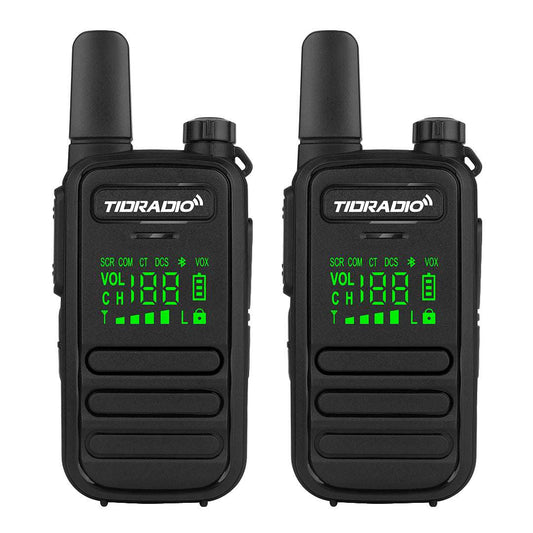
GMRS-Funkgerät einrichten: Ein Leitfaden für Anfänger
Der Kauf eines GMRS-Funkgeräts bietet Ihnen ein leistungsstarkes Werkzeug für die Kommunikation im Freien, die Notfallvorsorge und die Verbindung mit Familie oder Gruppen.
Viele Anfänger sind sich jedoch unsicher, wo sie anfangen sollen.
Häufig gestellte Fragen sind:
- Welchen GMRS-Kanal soll ich verwenden?
- Muss ich einen Datenschlüssel einstellen?
- Wie kommuniziere ich mit einem anderen Funkgerät?
- Welche Einstellungen sollte ich zuerst ändern?
- Wie funktionieren GMRS-Repeater?
Das Einrichten eines GMRS-Funkgeräts muss nicht kompliziert sein. Sobald Sie die grundlegenden Einstellungen verstanden haben, können Sie Ihr Funkgerät schnell für Camping, Wandern, Offroad-Abenteuer und die tägliche Kommunikation konfigurieren.
Dieser Leitfaden führt Sie durch die wesentlichen Schritte, um loszulegen.
Schritt 1: Grundlegende GMRS-Funkgerät-Einstellungen verstehen
Bevor Sie Ihr Funkgerät verwenden, ist es hilfreich, die wichtigsten Einstellungen zu verstehen, die die Kommunikation steuern.
Kanal
Ein Kanal ist eine voreingestellte Kommunikationsfrequenz.
Zwei Funkgeräte müssen denselben Kanal verwenden, um miteinander zu kommunizieren.
Frequenz
Die Frequenz ist das tatsächliche Funksignal, das vom Kanal verwendet wird.
Die meisten Benutzer müssen die Frequenzen nicht manuell anpassen, da die Kanäle diese Einstellungen bereits enthalten.
Leistungsstufe
Einige GMRS-Funkgeräte ermöglichen es Benutzern, verschiedene Leistungsstufen auszuwählen.
Eine höhere Leistung kann die Kommunikationsreichweite verbessern, aber die Reichweite hängt auch von der Antennenhöhe, dem Gelände und Hindernissen ab.
Weitere Informationen zur GMRS-Reichweite finden Sie unter:
Wie weit kann ein GMRS-Funkgerät reichen? Die reale Reichweite erklärt
Schritt 2: Den richtigen GMRS-Kanal wählen
Die Wahl des richtigen Kanals ist einer der wichtigsten Schritte bei der Einrichtung Ihres Funkgeräts.
Damit zwei Funkgeräte kommunizieren können:
- Beide Funkgeräte benötigen denselben Kanal
- Beide Funkgeräte benötigen übereinstimmende Datenschlüssel-Einstellungen (falls verwendet)
| Anwendungsfall | Empfohlene Einrichtung |
|---|---|
| Familienkommunikation | Einfache Kanaleinrichtung |
| Campingausflüge | Gängige GMRS-Kanäle |
| Offroad-Gruppen | Kanäle mit Repeater-Unterstützung |
| Notfallkommunikation | Vorprogrammierte Gruppenkanäle |
Wenn Sie mehr über GMRS-Kanäle, Frequenzen und Kanalnutzung erfahren möchten, lesen Sie:
Schritt 3: Datenschlüssel einstellen (CTCSS und DCS)
Viele GMRS-Funkgeräte verfügen über Datenschlüssel, auch genannt:
- CTCSS-Töne
- DCS-Codes
- Toneinstellungen
Diese Einstellungen helfen, unerwünschte Gespräche von anderen Benutzern auf demselben Kanal zu reduzieren.
Datenschlüssel machen Ihre Kommunikation jedoch nicht privat.
Sie dienen lediglich als Filter, der steuert, wann Ihr Funklautsprecher geöffnet wird.
Beispiel:
- Funkgerät A: Kanal 15 + CTCSS 141.3
- Funkgerät B: Kanal 15 + CTCSS 141.3
Beide Funkgeräte können kommunizieren.
Wenn die Einstellungen nicht übereinstimmen, können sich die Funkgeräte möglicherweise nicht hören.
Schritt 4: Kommunikation zwischen Funkgeräten testen
Bevor Sie sich ins Freie begeben, testen Sie Ihre Funkgeräte in einer vertrauten Umgebung.
Stellen Sie sicher, dass beide Funkgeräte über Folgendes verfügen:
- Denselben Kanal
- Denselben Datenschlüssel
- Ähnliche Einstellungen
Testen über kurze Distanzen
Beginnen Sie mit eng beieinander liegenden Funkgeräten, um zu bestätigen, dass sie richtig verbunden sind.
Testen über längere Distanzen
Entfernen Sie sich weiter voneinander und testen Sie die Kommunikationsleistung.
Verschiedene Standorte
Versuchen Sie, hinter Gebäuden, in offenen Bereichen oder in verschiedenen Höhen zu testen, um die reale Leistung zu verstehen.
Schritt 5: So funktionieren GMRS-Repeater
Ein GMRS-Repeater empfängt Ihr Funksignal und sendet es von einem höheren Standort erneut aus.
Dies ermöglicht Funkgeräten, die sich nicht direkt erreichen können, die Kommunikation über den Repeater.
Ohne Repeater:
Funkgerät A → Funkgerät B
Mit Repeater:
Funkgerät A → Repeater → Funkgerät B
Repeater sind nützlich für:
- Offroad-Gruppen
- Outdoor-Veranstaltungen
- Notfallkommunikation
- Große Grundstücke
- Bergregionen
Schritt 6: Wichtige GMRS-Funkgerät-Einstellungen anpassen
Nach der grundlegenden Einrichtung können Anfänger zusätzliche Einstellungen anpassen.
Rauschsperre (Squelch)
Steuert, wie viel Hintergrundgeräusch Ihr Funkgerät filtert.
Scan-Funktion
Ermöglicht Ihrem Funkgerät, mehrere Kanäle auf Aktivität zu überprüfen.
VOX-Funktion
Ermöglicht freihändiges Senden ohne Drücken der PTT-Taste.
Kanalnamen
Benutzerdefinierte Kanalbezeichnungen können die Bedienung erleichtern.
So richten Sie ein GMRS-Funkgerät für verschiedene Aktivitäten ein
Camping
- Einfache Kanaleinstellungen verwenden
- Datenschlüssel abgleichen
- Leicht zu merkende Kanäle wählen
Offroad-Abenteuer
- Repeater-fähige Kanäle verwenden
- Einstellungen für die Gruppenkommunikation vorbereiten
- Funkgeräte mit höherer Leistung in Betracht ziehen
Notfallkommunikation
- Wichtige Kanäle im Voraus programmieren
- Ersatzbatterien bereithalten
- Das Funkgerät vor Notfällen üben
Bestes GMRS-Funkgerät für Anfänger
Ein gutes GMRS-Funkgerät für Anfänger sollte einfach zu konfigurieren sein und dennoch genügend Funktionen für die zukünftige Nutzung bieten.
Das TD-H9 10W GMRS-Funkgerät ist für Benutzer konzipiert, die sowohl eine einfache Bedienung als auch erweiterte Kommunikationsfunktionen wünschen.
Zu den Hauptmerkmalen gehören:
- 10 W hohe Ausgangsleistung
- Programmierbare Kanäle
- GMRS-Repeater-Unterstützung
- Mehrere Kommunikationsoptionen
- Lange Akkulaufzeit
Für Anfänger, die mehr über GMRS-Kommunikation erfahren und gleichzeitig Raum zum Wachsen haben möchten, bietet das TD-H84 flexible Einrichtungsoptionen.
Erfahren Sie mehr über das TD-H9 →
Häufig gestellte Fragen
Muss ich mein GMRS-Funkgerät vor der Verwendung programmieren?
Nicht immer. Viele GMRS-Funkgeräte funktionieren mit grundlegenden Werkseinstellungen. Das Programmieren von Kanälen und Datenschlüsseln kann jedoch die Kommunikation verbessern.
Welchen Kanal sollten Anfänger bei GMRS verwenden?
Anfänger sollten einen Kanal wählen, der zu den anderen Funkgeräten passt, mit denen sie kommunizieren möchten. Das Wichtigste ist, dass alle Funkgeräte übereinstimmende Einstellungen haben.
Warum können meine GMRS-Funkgeräte nicht kommunizieren?
Häufige Gründe sind:
- Verschiedene Kanäle
- Verschiedene CTCSS/DCS-Codes
- Falsche Repeater-Einstellungen
- Schwache Signalbedingungen
Funktionieren GMRS-Funkgeräte ohne Repeater?
Ja. GMRS-Funkgeräte können direkt ohne Repeater kommunizieren. Repeater werden nur benötigt, wenn Benutzer die Kommunikationsreichweite erweitern möchten.
Verwandte Artikel
-
GMRS-Kanäle erklärt: Was sind Kanäle, Datenschlüssel und Repeater?
Erfahren Sie, wie GMRS-Kanäle und Repeater-Einstellungen funktionieren.
-
Wie weit kann ein GMRS-Funkgerät reichen? Die reale Reichweite erklärt
Verstehen Sie, was die GMRS-Kommunikationsreichweite beeinflusst.
-
FRS vs. GMRS: Welches Walkie-Talkie sollten Sie wählen?
Erfahren Sie die Unterschiede zwischen FRS- und GMRS-Funkgeräten.
Abschließende Gedanken
Das Einrichten eines GMRS-Funkgeräts wird viel einfacher, sobald Sie die grundlegenden Einstellungen verstanden haben.
Beginnen Sie mit:
- Der Wahl des richtigen Kanals
- Dem Abgleichen der Datenschlüssel
- Dem Testen der Kommunikation
- Dem Erlernen von Repeater-Optionen
Mit der richtigen Einrichtung kann ein GMRS-Funkgerät zu einem zuverlässigen Kommunikationswerkzeug für Camping, Outdoor-Abenteuer, Notfallvorsorge und den täglichen Gebrauch werden.